Currency converter offline
- 4.7
- Rating
- 10.00M
- Installs
- Free
- Price

 Analysis by App-foxy
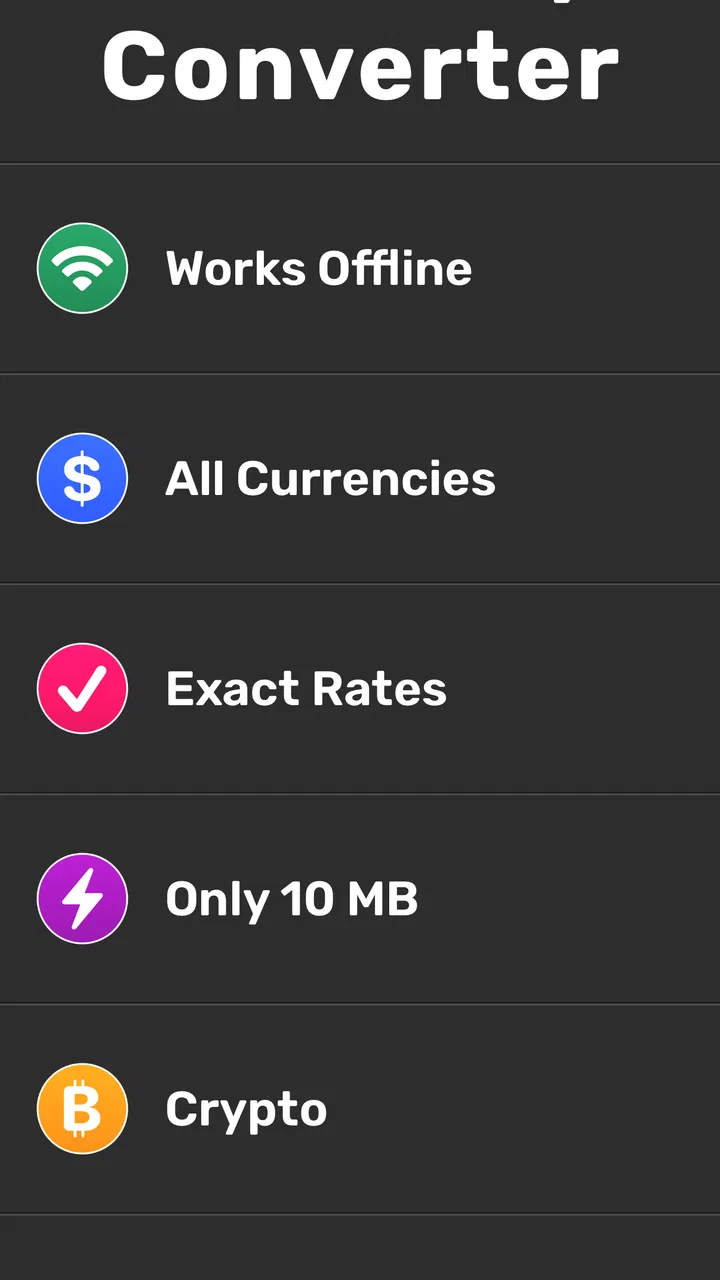
I tend to keep a currency tool installed for one simple reason: travel rarely happens under perfect conditions. Sometimes the connection is weak, sometimes a price is written in a currency I do not recognize, and sometimes I need to compare several amounts quickly while standing in a busy shop. Currency converter offline is built for that practical moment. It is a free Travel & Local app from Mezhevikin Aleksei, and its main appeal is the ability to work with currency conversion offline while also offering online exchange rates and a calculator.
After using it as a quick reference rather than as a full travel planner, I found the experience pleasantly direct. It does not try to become a booking service, map, expense diary, or banking product. That narrow purpose is important: the app is most useful when you want an answer quickly and do not want to depend on a live connection. Its 4.7 average from around 407 thousand ratings and more than 10 million installs suggest that this focused approach has connected with a large audience.
How the interface supports readability and navigation
The first thing I noticed is that the app’s job is easy to understand. You choose currencies, enter an amount, and read the converted result. That basic flow is much less demanding than opening a finance app full of account balances, charts, alerts, and promotional panels. For someone who only needs to check a price, the reduced scope is a genuine advantage.
You May Also Like

 AccuWeather: Weather Radar
AccuWeather Review: A Quick, Clear Forecast for Everyday Decisions
For everyday plans, the best forecast is the one you can understand quickly. AccuWeather makes rain timing, radar, and local conditions easy to act on, with a few trade-offs.

 Hill Climb Racing
Why Hill Climb Racing Still Turns Crashes Into One More Run
A tiny car, a bumpy hill and one more upgrade: Hill Climb Racing keeps resurfacing because its simple chaos makes every near-miss feel personal.

 AliExpress - Shopping App
AliExpress Makes Global Shopping Feel Personal, but Shoppers Bear the Risk
AliExpress turns a global marketplace into a pocket-sized discovery engine. Its reach is useful, its shopping loop compelling, and its trade-offs easy to miss.

 Lords Mobile: Kingdom Wars
Lords Mobile Is a Kingdom-Building Routine, Not a Quick Match
A case-by-case verdict on the building, battles, device demands, and social commitments that make Lords Mobile rewarding for some players and exhausting for others.

 PDF Scanner app - TapScanner
TapScanner Makes Paperwork Easier to Capture, Check, and Share
TapScanner makes scanning with a phone feel less like a rescue operation and more like a dependable step in getting work done. Its capture tools are useful, though not flawless.

 Block Blast!
 Shows How Much a Puzzle Game Can Leave Out
A quiet grid game shows why puzzle players increasingly value instant clarity, repeatable skill and low-pressure play—and where the genre still needs to catch up.
More From Our News Desk
View All News


The calculator element also fits naturally into the task. Instead of converting one isolated amount and then reaching for another app to add several prices, I can use the conversion tool as part of a quick calculation. This is useful in a market, restaurant, taxi discussion, or hotel lobby, where the question is often not “What is this single price?” but “What will these several things cost together?”
Readability matters especially when I am tired, distracted, or outside in changing light. A currency converter should make the selected currencies and resulting amount easy to distinguish at a glance. In my experience, this app’s straightforward purpose helps more than an overloaded design would. There are fewer conceptual steps to remember, which can make it friendlier for people who prefer simple, predictable navigation.
That simplicity also helps users who are not comfortable with financial terminology. You do not need to understand foreign-exchange markets to use the central function. The practical mental model is familiar: select the money you have, select the money you want to compare, and enter the amount. For a first-time traveler, that is a much gentler starting point than a specialist finance application.
The app is available for devices running Android 7.0 or later, so it can suit people who keep an older phone rather than replacing it for every new application. That is a useful inclusion point in real life. A travel companion should not automatically exclude someone simply because their phone is not recent, and this relatively broad operating-system support makes the app more approachable for older devices.
There is also a useful distinction between the offline and online sides of the experience. Offline conversion is convenient when roaming is expensive, mobile data is unavailable, or a building has poor reception. Online exchange rates are more appropriate when you want to refresh the information before making an important comparison. I would not treat those two modes as identical: an offline result is convenient, but an exchange rate can change, so the timing of the last update matters whenever the amount is significant.
One habit I recommend is refreshing rates before leaving reliable internet access, then using the offline capability for ordinary decisions during the day. That workflow reduces the chance of discovering a connectivity problem at the exact moment you need a conversion. It also keeps expectations realistic: offline access is excellent for continuity, but it should not be confused with a live market quote.
For readers who rely on larger text, strong contrast, or screen magnification, the practical test is whether the important controls remain understandable when the display is enlarged. The app’s limited purpose works in its favor because there are fewer controls to locate. Still, a simple screen is not automatically perfect for every visual need. Someone with low vision should try the interface on their own device and confirm that currency labels, input areas, and results remain comfortable to read.
Why the calculator changes the everyday workflow
The calculator is more than a decorative extra. Imagine I am looking at a menu while traveling and want to compare a meal, a drink, and a service charge. With a basic converter, I might convert each figure separately and mentally combine the results. That creates extra opportunities for mistakes. Using the calculator within the same task lets me work from a total instead, which is faster and easier to check.
Another useful approach is to convert a rounded budget rather than every individual purchase. If I decide that I want to spend a fixed amount in my home currency, I can use the app to estimate the corresponding local budget and then judge prices against it. This is not a replacement for a detailed expense tracker, but it is a low-friction way to stay aware of spending without recording every transaction.
There is a trade-off here. A calculator can make quick arithmetic easier, but it can also encourage false precision. A converted total may display many digits even though the exchange rate, card fee, cash fee, or merchant markup makes the real amount different. I use the result as a guide, not as a promise about what will appear on my bank statement.
Motor, sensory, and situational access in real use
Currency conversion is often performed in awkward conditions. I may be holding a phone in one hand, carrying a bag in the other, or trying to enter a number while someone is waiting. That makes large, clearly separated touch targets more valuable than clever gestures. The app’s direct task is well suited to short interactions, because I do not need to move through a long chain of travel screens before reaching the calculation.
For people with limited fine-motor control, the most comfortable strategy is to prepare the currency pair before a busy moment. If I know I will be comparing prices in a particular destination, selecting the currencies while seated gives me less work to do later. Then the travel-time action is mainly entering an amount and reading the result. This is a small adjustment, but it reduces hurried tapping and repeated navigation.
Users who find rapid visual changes uncomfortable may appreciate a tool that is used in brief, purposeful sessions instead of continuous scrolling. I cannot treat that as a guarantee of sensory comfort for everyone, because display preferences and individual needs vary. The sensible approach is to combine the app with the phone’s own text-size, contrast, brightness, or magnification settings where those settings help.
For users who depend on spoken feedback or a screen reader, the important question is whether the currency names, input field, buttons, and converted amount are announced in a meaningful order. A calculator can be especially helpful if its controls have clear labels, but the usefulness of spoken navigation depends on how the individual device exposes each element. I would test the complete conversion flow before a trip rather than assuming that a visually simple interface will automatically be equally clear through audio.
People with hearing loss are unlikely to face a central barrier from the conversion task itself, since the essential information is visual and numerical. That said, travel situations can involve conversation with a cashier or driver, and the app cannot solve that communication challenge. Its role is narrower: it gives me a number I can show or use to support a price discussion.
Offline operation is particularly valuable for situational access. A traveler may be underground, inside a thick-walled building, on a ferry, in a rural area, or deliberately keeping mobile data switched off. In those moments, a browser-based converter is less dependable because it assumes a connection. This app’s offline focus gives it a practical edge over the usual web search approach.
There is also a privacy-related convenience in not needing to open a browser and search for a conversion every time. I can perform a small calculation directly inside the app instead of navigating through pages that may load slowly or distract me. I would not describe that as a complete privacy solution, but it is a calmer workflow when I only need a conversion.
A realistic travel scenario
Suppose I am in a small shop after a long day of travel. The signal is unreliable, the labels are unfamiliar, and I want to compare a few items with the spending limit I set earlier. I open the app, use the currency pair I prepared, and enter the prices one at a time. The calculator helps me estimate the combined total, while the offline function keeps the process moving even when a web page would stall.
The accessibility benefit in that situation is not a special setting; it is the reduction of pressure. I am not trying to remember a mental exchange rate, switch between several apps, or explain to someone why I need a moment. A short, repeatable process is easier to manage when I am tired, anxious, or dealing with a crowded environment.
For someone with dyscalculia or simply low confidence with unfamiliar numbers, the app can provide a useful visual checkpoint. I can enter the amount, inspect the result, and repeat the calculation if something looks wrong. I would still double-check the currency symbols and decimal placement, especially when a destination uses number formatting that differs from what I normally see.
Where the app is less inclusive or less suitable
The biggest limitation is that convenience does not eliminate exchange-rate uncertainty. Offline results depend on the rate information already available in the app, while online rates can be refreshed more recently. For a casual purchase, that difference may be insignificant. For a large payment, a long stay, or a business transaction, I would compare the result with the rate supplied by my card provider or financial institution and account for possible fees.
It is also not the right tool for people who want a complete travel-finance system. I would choose a dedicated budgeting app if I needed categories, receipts, shared expenses, historical spending, or a detailed record of transactions. I would choose a bank or card app when the key question is the actual amount that will be charged. Currency converter offline is better at answering “What does this amount roughly equal?” than “What exactly did I spend, and how should I organize it?”
Users who need highly specialized accessibility controls should evaluate the current interface on their own phone before depending on it abroad. The app’s focused design may make it easier to navigate, but that is different from promising compatibility with every assistive technology or sensory preference. If a person needs very specific labeling, voice control, color treatment, or keyboard behavior, a short trial is essential.
Another friction point is the possibility of selecting the wrong currency. Similar abbreviations and symbols can be confusing, particularly when I am moving quickly. My practical safeguard is to say the full currency name to myself before entering an amount and to check whether the result is in the expected range. The calculator can help verify arithmetic, but it cannot detect a mistaken currency choice.
The free price makes the app easy to try, although in-app purchases are listed at $4.99 per item. That means I would look carefully at what is included before paying for anything. The basic appeal for me is the quick conversion workflow, so I would only consider an optional purchase if it solved a specific problem I had already identified. I would not install it expecting a full premium travel suite.
The age rating is Everyone, which fits the ordinary use case: checking prices and doing arithmetic while traveling or shopping. That does not mean every situation is equally easy for every person, but it does make the app suitable for a broad household audience. A family member can use it to discuss prices with a child, while an older traveler can use it as a reference instead of relying on mental calculations.
The current version is 3.1.29, and the app has been available since January 18, 2020. Those details give it a longer presence than a brand-new travel utility, while the large install base suggests that it is not an obscure experiment. I still judge it by my own workflow rather than popularity: a high rating cannot tell me whether the text size, touch behavior, or rate timing suits my particular needs.
My inclusive verdict after using it as a travel companion
I recommend Currency converter offline to travelers who want a compact, understandable way to compare prices without depending on constant internet access. Its strongest qualities are practical rather than flashy: a focused interface, offline conversion, online rate access when available, and a calculator that makes totals easier to handle. Those features work especially well for short interactions in shops, restaurants, transport situations, and places where connectivity is unreliable.
I also think it can support different abilities and contexts by reducing the number of steps between a question and an answer. That matters for people who are tired, distracted, carrying luggage, working with limited data, or uncomfortable doing foreign-currency arithmetic mentally. Preparing the currency pair in advance, refreshing rates before going offline, and using the calculator for totals are three small habits that make the app more dependable in practice.
My recommendation comes with sensible boundaries. I would not use it as the final authority for a major financial decision, and I would not choose it instead of a budgeting or banking app when I need transaction records or exact charges. People who require specialized accessibility behavior should test it with their own settings before travel. The app is simple, but individual access needs are not interchangeable.
For ordinary travel decisions, though, that simplicity is exactly why I keep coming back to it. It is a useful pocket reference, not a complete financial service. If your priority is a fast estimate that remains available when the connection disappears, this free Travel & Local app is an easy one to recommend. If your priority is live precision, detailed money management, or advanced accessibility customization, a more specialized alternative may serve you better.
FAQs for Currency converter offline
01What features does the Currency Converter Offline app offer?
The Currency Converter Offline app provides real-time currency conversion for over 150 currencies. It allows users to access exchange rates without an internet connection, making it perfect for travelers. The app also includes historical data charts, customizable currency lists, and a user-friendly interface for quick, hassle-free conversions.
02How accurate are the exchange rates in the Currency Converter Offline app?
Exchange rates are updated regularly when the app connects to the internet, ensuring accuracy. While offline, the app uses the last updated rates, which remain accurate for short-term use. However, for the most up-to-date rates, it’s recommended to refresh the app when online.
03Is the Currency Converter Offline app easy to use for beginners?
Yes, the app is designed with a simple, intuitive interface that caters to both beginners and experienced users. It features clear instructions and a straightforward layout, making currency conversion quick and easy, without any complicated features to navigate.
04Does the Currency Converter Offline app require a subscription or any in-app purchases?
The basic version of the app is free, providing essential features for currency conversion. However, there may be optional in-app purchases for premium features such as ad removal, additional currency options, or advanced analytics, depending on user needs.
05Can I trust the security of the Currency Converter Offline app?
Yes, the app prioritizes user security and privacy. It does not require personal information or access to sensitive data on your device. Offline functionality also means less data transmission, reducing the risk of exposure. Always download the app from trusted sources like Google Play or the App Store.
Pros
- Works without internet connection
- Fast conversion speed
- Simple
- intuitive interface
- Supports multiple currencies
- Regular updates with new rates
Cons
- Limited advanced features
- No cryptocurrency support
- Ads in the free version
- Occasional rate inaccuracies
- No real-time rate notifications

Currency converter offline
Gallery